
Select Your Region
Region-Based Optimized Content
Why It Is Time to Move from WordPress to a Headless CMS in 2026
WordPress plugin flaws, a critical core bug in July 2026 and PHP end of life are raising the cost of staying put. Here is why teams are moving to headless.

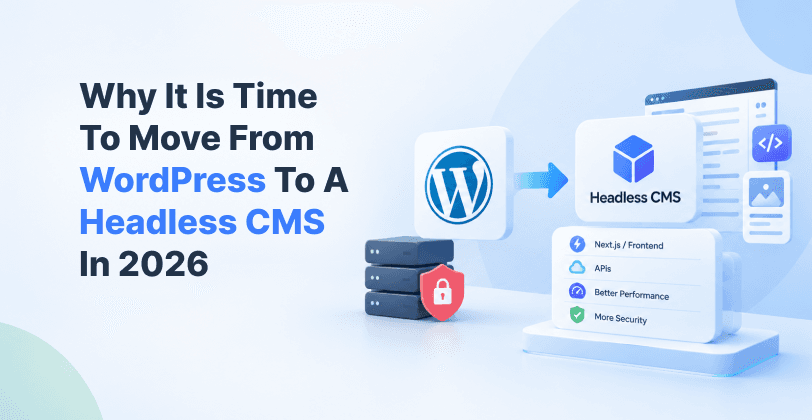
For years, WordPress was the safe default for company websites. In 2026, that is harder to defend. Security reports show more flaws, faster attacks and fewer fixes, and the person who answers for it when a site goes down is usually the marketing head or the website owner.
This post covers what changed this year, what it costs your team, and how a headless CMS reduces the risk.
What Changed: The Numbers
Patchstack's State of WordPress Security in 2026 report counted 11,334 new vulnerabilities in the WordPress ecosystem in 2025. That is a 42% increase over 2024, which had 7,966.
The details that matter most for business owners:
91% of the new vulnerabilities were in plugins. Not WordPress itself, but the add ons that give a site its features.
46% had no fix when they were made public. "Keep your plugins updated" does not help when there is no update to install.
Highly exploitable flaws rose 113% year on year. These are the ones attackers use in automated, large scale attacks.
Attackers move in hours. Patchstack reports the median time to first mass exploitation was about five hours.
This matches the wider picture. The 2026 Verizon Data Breach Investigations Report found that exploited vulnerabilities became the top way into a breach for the first time in the report's 19 years, at 31% of breaches. WordPress also runs about 41.5% of all websites, which makes it a very large target.
July 2026: WordPress Core Was Hit Too
A common defence of WordPress is that the core software is solid and only plugins cause trouble. That was tested on July 17, 2026, when WordPress released version 7.0.2.
According to the official WordPress release notes, the update fixed one critical and one high severity issue. Security providers reported that the two flaws could be chained to let an attacker run code on a default install without logging in. WordPress.org took the unusual step of forcing automatic updates on affected sites.
To be fair, the WordPress security team responded quickly, and patched sites were safe. But the lesson stands. Even a well run site was exposed until it updated, and any site where updates were delayed or switched off stayed open.
The PHP Problem
WordPress runs on PHP, and PHP versions have a fixed life.
PHP 8.1 reached end of life on December 31, 2025. No security patches are released for it anymore, so any flaw found now stays open permanently.
One analysis found nearly half of WordPress sites were still on PHP 8.1 or older when support ended.
PHP 8.2 reaches end of life on December 31, 2026, just over two months from now.
Upgrading PHP often breaks older plugins and themes, so many teams postpone it. That leaves a live business site running on server software that no longer gets fixes.
What This Costs Your Business
Even if your site is never hacked, staying on a plugin heavy WordPress setup has a running cost:
Emergency patching and testing every time a major flaw is announced
Plugin conflicts after updates, which can break forms, checkout or tracking
Developer hours spent on maintenance instead of new campaigns
Slower pages from stacked plugins, which hurts SEO and conversions
Downtime and brand risk if the site is compromised or flagged by search engines
For a marketing head, this means launches wait while someone fixes the site.
How Headless Reduces the Risk
A headless CMS separates where content is managed (the back end) from what visitors see (the front end). Your team edits content in a CMS such as Sanity, Strapi, Prismic or Builder.io, and a modern front end, often built with Next.js, delivers it to visitors through APIs.
This changes the security picture in practical ways:
No plugin marketplace on the live site. Features are built in code or added through vetted services. Fewer third party add ons means a smaller attack surface, and plugins are where 91% of WordPress flaws sit.
No public PHP app or database facing visitors. The front end is served as fast, pre built pages from a global network (CDN), so there is much less for an attacker to reach.
Admin is separate from your website. Editors log in to a separate studio, not a login page on your own domain that bots scan all day.
Less server work for you. With hosted platforms such as Sanity, the vendor looks after server updates, so there is no PHP version to chase.
Faster pages as a bonus. Pre built pages load quickly, which helps SEO and conversions.
One honest note: headless is more secure by design, not automatically. API keys must stay private, access should be role based, and the front end still needs good practice. An experienced team makes all the difference.
WordPress vs Headless: Security and Maintenance View
| Area | Traditional WordPress | Headless CMS |
|---|---|---|
| Third party plugins | Often many on a live site | Few, chosen and reviewed |
| Public attack surface | PHP app, database and admin on the same domain | Pre built front end, CMS behind APIs |
| Patching | Your team or host, on a tight clock | Vendor handles the platform, your team handles the front end |
| PHP end of life risk | Direct exposure | Not applicable on a hosted CMS |
| Page speed | Depends on plugins and hosting | Fast by default |
| Marketing control | Easy editing, but plugin limits | Structured content, flexible front end |
What a Migration Looks Like
Moving off WordPress does not mean starting over. A typical project follows these steps:
Audit your content, plugins and traffic, so nothing important is lost.
Choose the CMS that fits your team. We help with Sanity, Strapi, Prismic, Storyblok and Builder.io.
Model the content so editors get a simple, clean editing experience.
Migrate posts, pages and media using scripts, so content moves without copy and paste.
Build the front end in a modern framework such as Next.js.
Protect SEO with redirects, metadata and testing before launch.
Launch and monitor, then train your marketing team.
Want the technical walkthrough? Read our step by step guide on migrating from WordPress to Sanity, or our guide to moving a legacy PHP website to Sanity and Next.js.
When Staying on WordPress Still Makes Sense
Headless is not right for everyone. A small site with a handful of plugins, a good host and someone who patches it every week can stay on WordPress safely. The case for moving is strongest when:
You run an enterprise or fast growing startup site with many pages and many editors
Your site depends on many plugins
Marketing waits on developers for simple changes
Compliance, uptime or brand risk matters to your leadership
You need the same content on a website, app and other channels


Hi, my name is Jaswinder, let's talk about your business needs.
I will do my best to find a reliable solution for you!
Final Thoughts
The risk on WordPress is not one big flaw. It is the steady pace of new ones, the short time attackers need, and the maintenance load that falls on your team. A headless CMS removes much of that exposure and gives marketing more control over the website.
If you are already feeling the pain of constant updates, 2026 is a good time to plan the move, ideally before PHP 8.2 reaches end of life.
Move to Headless with RW Infotech
At RW Infotech, we help enterprises and startups migrate from WordPress to headless CMS platforms including Sanity, Strapi, Prismic and Builder.io. We have been building for clients since 2012, and our team handles content migration, the Next.js front end, SEO protection and training for your marketing team.
Ready to move off WordPress? Talk to our team about a WordPress to headless CMS migration.
Frequently Asked Questions
Not automatically. Most flaws are in plugins, and a well maintained site with few plugins can be run safely. The risk grows with the number of plugins and with delays in patching.
No. It reduces the attack surface because there is no public plugin layer or PHP app, but good practice on API keys, access control and the front end is still needed.
Not if the migration is planned well. Redirects, metadata and URL structure are mapped and tested before launch, so rankings are protected.
Yes. Modern headless platforms offer clean editing studios, previews, scheduling and workflows, and many teams find them easier than a plugin heavy WordPress dashboard.
It depends on site size and complexity. A discovery call is the quickest way to get a realistic scope and timeline for your site.
News & Insights
We like to share our thoughts on topics we find inspiring. Explore our news and insights.
How Marketing Teams Add New Products and Landing Pages Without Dev
Waiting on developers to add a product or change a discount slows every sale. Here is how headless commerce lets marketing teams do it on their own.
Legacy PHP Website to Sanity and Next.js: A Step-by-Step Migration Guide
Learn how to migrate a legacy PHP website to Sanity and Next.js step by step, from content modeling and data import to redirects, SEO protection, and launch.