
Select Your Region
Region-Based Optimized Content
Headless Commerce: Add Products & Pages Without Dev
How marketing teams use headless commerce to add new products, change sale offers, and build landing pages without waiting for developers.

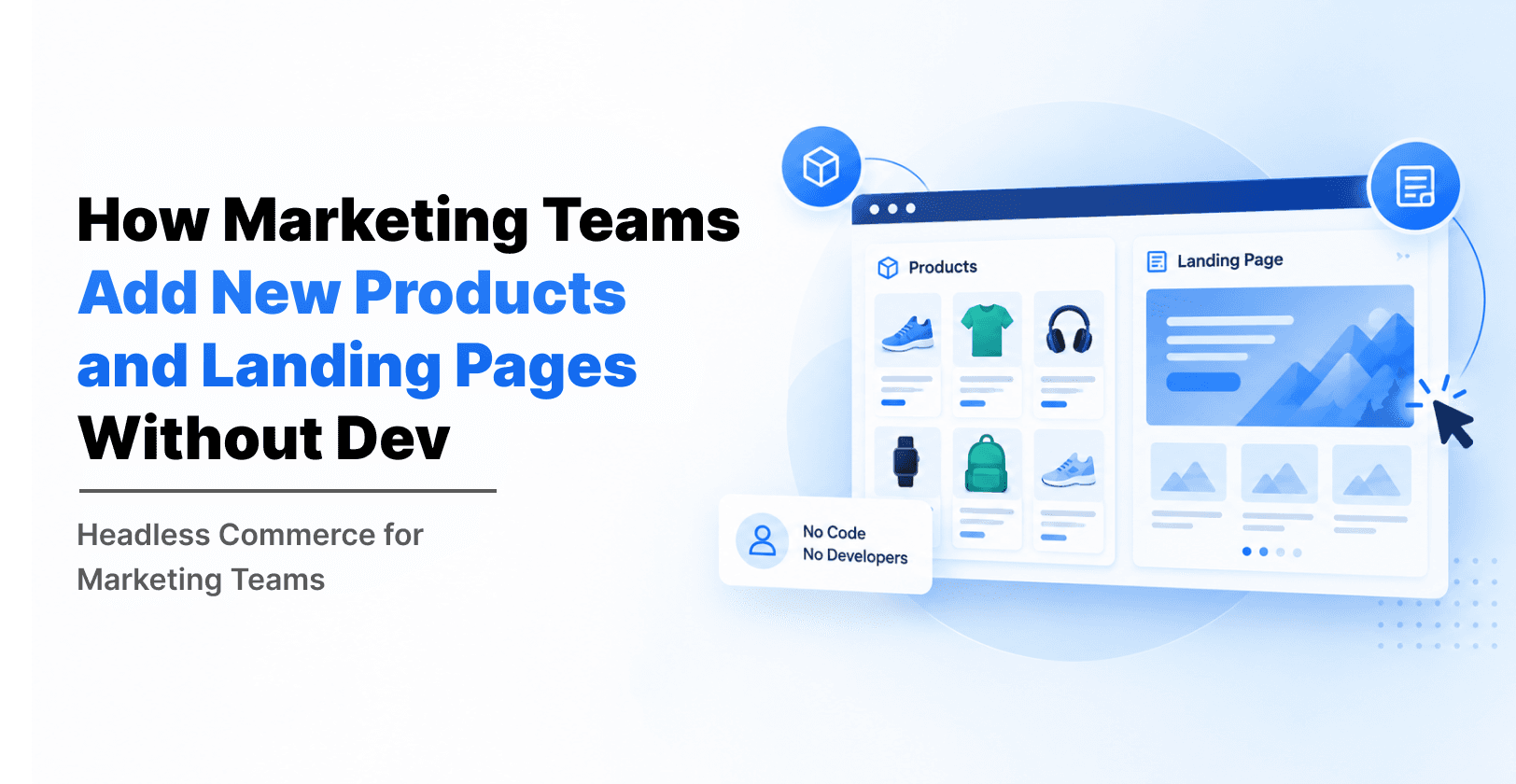
Your sale starts tomorrow. The discount needs to change from 20% to 30%, a new landing page is needed, and five new products must go live. In most startups, this turns into a list of tickets for the developer. The marketing team waits, the sale loses momentum, and the developer gets pulled away from real product work.
This is a very common problem for startups running on WordPress or another legacy CMS. The site worked well in the beginning, but as the catalog and campaigns grow, every small change needs code. Headless commerce fixes this by separating the content and product management from the storefront, so marketing teams can work on their own. In this guide, we explain how that works and which platforms can help.
Why Legacy CMS Setups Slow Marketing Teams Down
Legacy setups were built when a website was a few pages and a small shop. Today, a growing startup runs sales, bundles, seasonal offers, and campaign pages all year. Here is where older systems usually get in the way:
Every new landing page needs a developer. Page layouts are tied to the theme, so even a simple offer page means code changes.
Plugins pile up. WordPress sites often rely on many plugins for products, pages, and discounts. They slow the site down and can break after updates.
Sale changes are risky. Changing a discount percent or an offer banner in several places takes time, and one missed page creates a mismatch for customers.
Slow pages hurt sales. A heavy site loads slowly, and slow product pages lose visitors before they buy.
Scaling is painful. When traffic spikes during a sale, a tightly coupled system struggles, and fixing it needs more developer time.
None of this means your team did something wrong. It simply means the setup has reached its limit.
What Changes With Headless Commerce
In a headless setup, the "back end" (products, prices, content, pages) is separate from the "front end" (the storefront your customers see). A headless CMS holds your content and landing pages, a commerce platform holds your products and checkout, and both talk to the storefront through APIs.
For your marketing team, the biggest change is simple: they get their own workspace. They can edit content, build pages from ready-made blocks, preview changes, and publish, all without touching code. Developers build the blocks once. After that, marketers use them as often as they like.
| Task | Legacy CMS (e.g. WordPress with plugins) | Headless commerce |
|---|---|---|
| Add a new product | Often needs a developer if the template is custom | Marketing or ops adds it in the admin; the storefront updates automatically |
| Build a landing page | Developer builds or edits a theme template | Marketer assembles it from reusable blocks |
| Change a discount percent | Update several pages and banners by hand | Change it once; every page using it updates |
| Schedule a sale | Manual publish, or a plugin that may conflict | Built-in scheduling for start and end times |
| Preview before publishing | Limited, sometimes needs a staging site | Live preview of the real page |
| Handle traffic spikes | Plugins and database can slow down | Fast, pre-built pages served from a CDN |
How Marketing Teams Add Products and Build Landing Pages Without Dev
Here is what the day-to-day workflow looks like once the setup is in place.
Adding a new product
Open the product admin in your commerce platform or CMS.
Add the title, description, images, price, and variants.
Choose which collections or categories it belongs to.
Add SEO fields such as the meta title and description.
Preview it on the real storefront, then publish or schedule it.
Because the storefront reads from the same data, the product shows up on category pages, search, and any landing page that pulls from that collection.
Building a new landing page
Create a new page in the CMS.
Add blocks: a hero banner, a product grid, a testimonial strip, a countdown, an FAQ, and a call to action.
Pick products from your catalog instead of copying them by hand.
Fill in the page title, URL, and SEO fields.
Use live preview to check mobile and desktop, then publish.
Changing a sale from one offer to the next
Say your first sale is 20% off, the second is 30% off, and the third is a buy-one-get-one offer. In a headless setup, the offer lives in one place. Marketing updates the discount value, the banner text, and the dates, and every page that uses that offer reflects it. Nobody needs to open the code.
A few habits make this work even better:
Ask developers to build a small set of flexible blocks, not one-off pages.
Keep discount and offer details in one content entry that pages can reuse.
Set clear publish permissions so only the right people can go live.
Schedule sales ahead of time, so nobody has to push a button at midnight.
Which Platforms Fit: Sanity, Shopify Plus, and BigCommerce
There is no single right answer. Most startups pair a headless CMS for content and landing pages with a commerce platform for products and checkout. Here is a simple way to compare the common options.
| Platform | Best at | Good fit for | Keep in mind |
|---|---|---|---|
| Sanity (headless CMS) | Flexible content, reusable page blocks, live preview, scheduled publishing | Teams that want full control over landing pages and campaign content | Needs a developer setup first, then marketers run it |
| Shopify Plus | Checkout, discounts, and store operations, with an API for custom storefronts | Fast-growing brands that want a proven commerce engine | Content features are lighter, so many teams add a headless CMS |
| BigCommerce | API-first commerce with a flexible catalog and open architecture | Brands with larger or more complex catalogs | Like Shopify, it pairs well with a separate CMS for rich pages |
A common and practical setup is Sanity for content and landing pages, plus Shopify Plus or BigCommerce for products, cart, and checkout. The storefront, often built with Next.js, pulls from both. Marketers stay in familiar admin screens, and customers get a fast site.
Why Sanity works well for marketing teams
Sanity lets you design the editing experience around your team. You can define blocks such as hero sections, offer banners, and product grids, and marketers combine them into pages. Features like live preview, drafts, and scheduled publishing make campaign work calmer. This is also why good Sanity development matters: when the content model and blocks are planned well, marketers rarely need to ask for help later. When they are planned badly, the team ends up back in the ticket queue.
Where Shopify Plus and BigCommerce fit
Both are strong commerce engines. They manage products, inventory, pricing, discounts, taxes, and checkout, so you do not have to build those yourself. For landing pages that go beyond what their built-in editors do comfortably, teams connect them to a headless CMS. If you already use one of them, you usually do not need to switch. You can keep the commerce side and improve the content side.
Common Mistakes and When to Make the Move
Going headless does not fix a messy process by itself. These are the mistakes we see most often:
Building pages instead of blocks. If developers build each landing page separately, marketers still wait. Build reusable blocks first.
Skipping the content model. A rushed content structure leads to confusing editing screens and duplicate data.
No preview. Marketers need to see exactly what customers will see before they publish.
Ignoring training. A short walkthrough for the team saves weeks of confusion.
Moving everything at once. Start with landing pages and campaign content, then move more over time.
A good time to consider the move is when your team keeps raising tickets for small changes, your sale pages take days instead of hours, your site slows down during campaigns, or your plugin list keeps growing.


Hi, my name is Jaswinder, let's talk about your business needs.
I will do my best to find a reliable solution for you!
Conclusion
Marketing teams should not have to wait on a developer to add a product, change a discount, or publish a landing page. With headless commerce, the setup is built once by developers, and then marketers run campaigns at their own speed. Whether you pair Sanity with Shopify Plus, BigCommerce, or another platform, the goal is the same: faster campaigns, a faster site, and fewer tickets.
If you are not sure where to start, a short audit of your current setup usually shows what to keep and what to change. The team at RW Infotech works with startups on exactly this kind of move, from planning the content model to building the storefront, and is happy to share what has worked in similar projects.
Frequently Asked Questions
Quick answers to common questions about headless commerce for marketing teams.
Yes. Developers set up the structure and reusable blocks once. After that, marketers can add products, build pages, and publish on their own.
Headless commerce separates the part customers see (the storefront) from the part your team manages (products, content, and pricing). The two connect through APIs, so each can change without breaking the other.
No. Startups often benefit the most, especially those growing past WordPress or another legacy CMS. The key is to start small, with landing pages and campaign content, instead of rebuilding everything.
Keep the offer in one content entry, such as "Sale: 30% off", and let pages and banners read from it. When you update that one entry, every page that uses it updates too.
Not usually. You can keep either one for products, cart, and checkout, and add a headless CMS like Sanity for content and landing pages.
It can help. Fast pages, clean URLs, and full control over meta titles, descriptions, and structured data are easier to manage. Results still depend on good content and a careful migration, including redirects.
Watch for signs such as long waits for small changes, slow pages during sales, and too many plugins. If your marketing team often says "we're waiting on dev", it is worth a conversation. RW Infotech offers a short review of your current setup and can tell you honestly whether headless is the right step for you now.
News & Insights
We like to share our thoughts on topics we find inspiring. Explore our news and insights.
Legacy PHP Website to Sanity and Next.js: A Step-by-Step Migration Guide
Learn how to migrate a legacy PHP website to Sanity and Next.js step by step, from content modeling and data import to redirects, SEO protection, and launch.
Why Marketing Teams Prefer Headless CMS for Modern Websites
Learn how headless CMS helps marketing teams manage content independently, launch campaigns faster, improve collaboration, personalize customer experiences, and deliver content across multiple channels.