
Select Your Region
Region-Based Optimized Content
Strapi Cloud vs Self-Hosting: Cost and Security Compared
Compare Strapi Cloud and self-hosting on cost, security, backups and control to find the right fit for your business site. Prices checked Nov 2026.

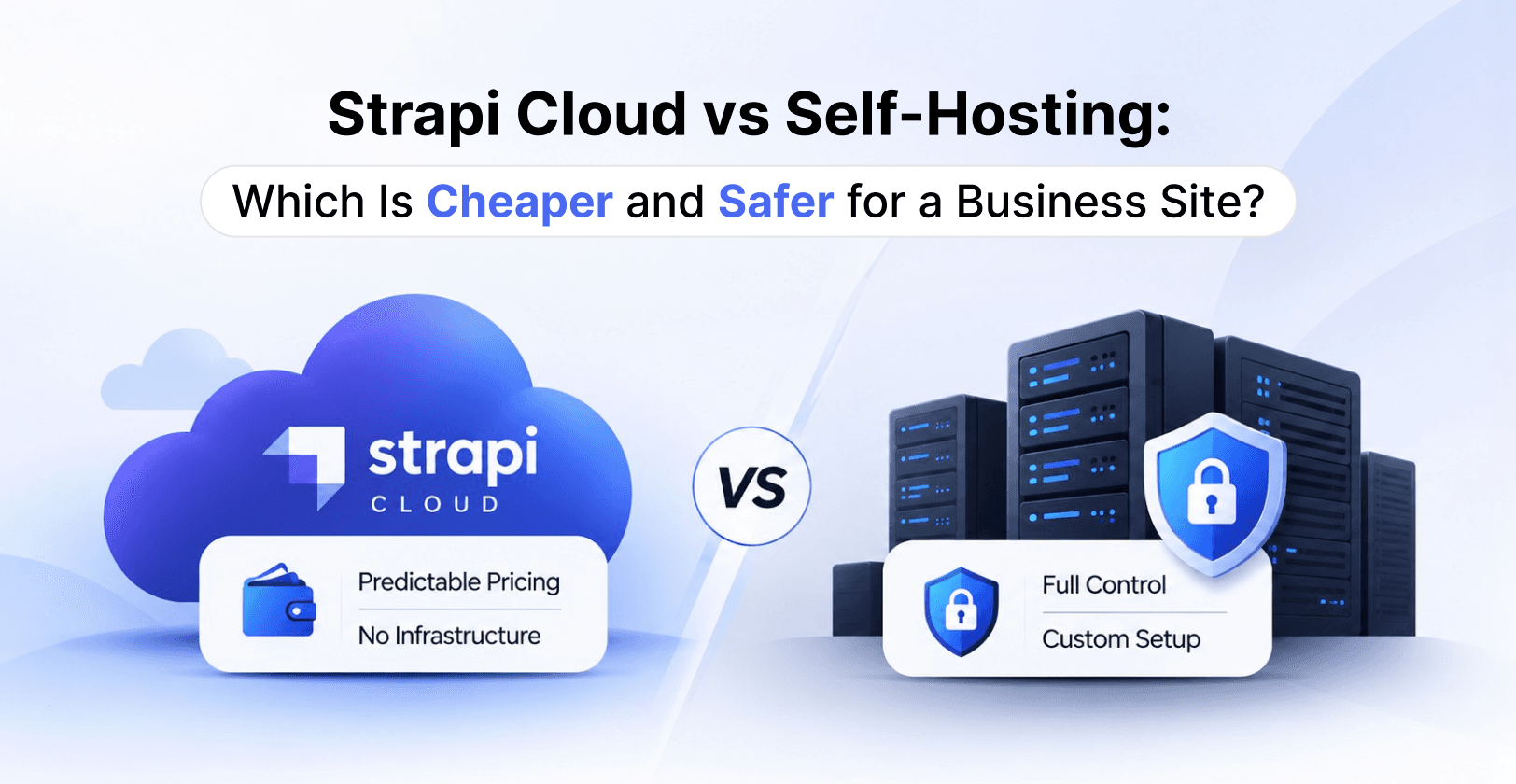
Choosing where to run Strapi is one of the first decisions on a business website project, and it quietly shapes your monthly cost, your security risk and how much of your team's time goes into maintenance. Strapi gives you two main routes: Strapi Cloud, a managed hosting platform run by Strapi, or self-hosting, where you run the Strapi application on infrastructure you control.
This guide compares the two on the questions business owners ask most, cost and security, and then on performance, maintenance and control. Prices come from Strapi's published pages as of November 2026 and can change, so check them before you set a budget. At RW Infotech we build, migrate and support Strapi sites, so we also share how we help clients choose between the two.
The Short Answer: Which Is Cheaper and Which Is Safer?
Cheaper: for a typical business website, Strapi Cloud is usually the cheaper option to start with. One fixed monthly price, starting at $35 per project, bundles hosting, a managed database, a CDN and automatic deployments. Self-hosting has no licence fee for the core product, but you pay for servers, a database, backups, monitoring and engineer time, and those costs can exceed a Cloud bill until traffic and media volume grow large.
Safer: it depends on who is responsible for security. On Strapi Cloud, Strapi runs the hosting platform, which suits teams without a dedicated DevOps person. Self-hosting gives you full control over the environment and where data lives, but every security task, from patching to backups, becomes yours.
Rule of thumb: choose Strapi Cloud if you want predictable cost and less to manage. Choose self-hosting if you need control over infrastructure, data location or custom hosting setups, and you have someone who will own it long term.
What Strapi Cloud and Self-Hosting Actually Mean
Strapi Cloud
Strapi describes Cloud as a hosting platform. You connect a GitHub repository, and your project builds and deploys whenever you push to the connected branch. The plans include a managed PostgreSQL database by default, a global CDN, custom domains and observability tools. You pay per project, and each plan has limits on API requests, asset storage and bandwidth.
Self-Hosting
Self-hosting means you run the Strapi Node.js application on your own servers or with a hosting provider you choose. Strapi's documentation covers traditional servers and includes guides for reverse proxies such as Nginx, Caddy, HAProxy and Traefik, the PM2 process manager, and integrations for AWS, Azure, DigitalOcean and Heroku. The core product is open source under the MIT licence, so there is no licence fee to run it.
What Self-Hosting Requires
According to the Strapi documentation, a self-hosted production setup needs:
Node.js: only Active LTS or Maintenance LTS versions are supported (currently v22, v24 and v26)
A database: MySQL, MariaDB, PostgreSQL or SQLite. MongoDB and other NoSQL databases are not supported, and neither are cloud-native databases such as Amazon Aurora
Server resources: a recommended 2 or more CPU cores, 4 GB of memory and 32 GB of disk, with a minimum of 1 core, 2 GB and 8 GB
A reverse proxy to handle HTTPS, and a process manager such as PM2 to keep the app running
Cost Comparison: Strapi Cloud vs Self-Hosting
What Strapi Cloud Costs
Strapi Cloud has three plans, priced per project per month. These are the monthly prices on the Strapi Cloud pricing page as of November 2026. An annual toggle on the page advertises savings of up to 17%, and prices exclude local taxes.
| Plan | Price per month | Included usage | Notable inclusions |
|---|---|---|---|
| Starter | $35 | 100k API requests, 50 GB asset storage, 50 GB asset bandwidth | CDN, custom domains, observability; sleeps when idle |
| Pro | $90 | 1M API requests, 250 GB asset storage, 500 GB asset bandwidth | Always on, weekly and manual backups, CRON jobs, multiple environments |
| Business | $450 | 10M API requests, 1,000 GB asset storage, 1,000 GB asset bandwidth | Daily backups, 99.9% uptime SLA |
If you exceed your plan, the pricing page and usage billing documentation list overage rates: $1.50 per extra 25k API requests, $30 per extra 100 GB of asset bandwidth and $0.60 per extra GB of asset storage per month. Extra environments cost $60 per month on Pro and $300 per month on Business.
For a business website, one detail matters: the pricing page says the Starter plan sleeps when idle, while Pro and Business stay always on. A public marketing site that must respond instantly will usually need Pro or higher.
What Self-Hosting Costs
Self-hosting trades a single bill for several smaller ones. The Strapi Community edition is free, but a production site needs:
A server or cloud instance sized to the documented recommendation of 2 or more cores, 4 GB of memory and 32 GB of disk
A production database, such as managed PostgreSQL, since SQLite is meant for local development
Media storage and a CDN, so uploads do not fill your server disk
Backups and restore testing for the database and media files
Monitoring, logging and SSL certificates
Engineer time for updates, security patches, Node.js version upgrades and incident response
Strapi's own paid CMS plans add editorial features. On the Strapi CMS pricing page, Growth starts at $45 per month with three users and adds Live Preview, Releases and Content History, and Enterprise is priced by contacting sales. Check which of these your editors actually need before you assume the free Community edition is enough.
Where Each Option Wins on Cost
Strapi Cloud tends to win when traffic is moderate, the team is small and nobody wants to manage servers, because the fixed price replaces a long list of separate costs and the staff time to run them. Self-hosting tends to win when usage is high enough that Cloud overages add up, when you already run infrastructure and a DevOps team, or when you want to reuse existing cloud commitments.
Development Cost Is Separate
Hosting is only one part of the budget. Building the content model, the front end, integrations and migration of existing content is a separate cost that depends on your project. It is broadly the same whichever hosting option you pick, so compare hosting costs on their own and ask for a development estimate based on your scope.
Security Comparison: Who Is Responsible for What?
Neither option is automatically safer. The real difference is who carries each security task. With Strapi Cloud, part of the work moves to Strapi. With self-hosting, all of it stays with you.
Security on Strapi Cloud
Managed platform: Strapi runs the hosting platform, builds and deployments, so you do not set up or patch servers yourself.
Backups depend on the plan: according to Strapi's project settings documentation, production database backups run weekly on Pro and daily on Business, with 28-day retention. The Starter plan has no backups. Backups cover the production database only, not media assets or other environments.
Compliance claims: Strapi's pricing page and homepage state that Cloud is SOC 2 certified and GDPR compliant. The Cloud documentation does not repeat these claims, so ask Strapi for current compliance documents if your industry requires proof.
External databases are not covered: if you connect your own database to Cloud, Strapi says it cannot provide security or support for it.
Your code is still your responsibility: custom controllers, plugins and permissions are yours to secure on any hosting option.
Security When Self-Hosting
Self-hosting gives you full control, including control of where your data is stored, which matters for strict compliance or data residency rules. It also means you handle every item below. Based on Strapi's deployment guidance, a secure self-hosted setup should include:
A supported Node.js version. Use only Active or Maintenance LTS releases, and plan upgrades before a version reaches end of life.
Strong, unique secrets. Set APP_KEYS, API_TOKEN_SALT, ADMIN_JWT_SECRET, JWT_SECRET, TRANSFER_TOKEN_SALT and ENCRYPTION_KEY as environment variables, never in the repository. Regenerating some of them invalidates existing sessions and API tokens, so plan for that.
HTTPS through a reverse proxy. Strapi does not terminate TLS itself, so put Nginx or a similar proxy in front of it.
Correct proxy settings. Strapi's Nginx guide warns that leaving the proxy IP count unset allows IP spoofing, so configure it explicitly.
A private database. Do not expose the database to the public internet, and use strong credentials.
Tested backups. Back up the database and media files, store them away from the server and practise a restore.
Least-privilege permissions. All Strapi content types are private by default. Open only what the public needs, and keep API tokens on the server side.
Sanitised custom code. The Document Service returns unsanitised data, so custom controllers must sanitise output before returning it.
Monitoring and updates. Watch logs and uptime, and apply Strapi and dependency updates regularly.
The Honest Verdict on Security
A well-run self-hosted setup can be as secure as Cloud, or more tightly controlled. A neglected one is much riskier, because outdated software and exposed services are common causes of incidents. If you have no one who will own these tasks, Strapi Cloud is usually the safer choice for a business site.
Performance, Scaling, Maintenance and Control
Cost and security are only part of the picture. These are the day-to-day differences your team will notice.
| Area | Strapi Cloud | Self-hosting |
|---|---|---|
| Setup time | Connect a GitHub repository and deploy | Provision servers, database, proxy, SSL and a deployment pipeline |
| Deployments | Automatic on every push to the connected branch | Your own CI/CD or a manual process |
| Database | Managed PostgreSQL by default | Your choice of PostgreSQL, MySQL or MariaDB |
| CDN | Global CDN included | Add your own CDN |
| Region | Chosen at project creation and cannot be changed afterwards | Any region or provider you choose |
| Media URLs | Stay on a Strapi media domain, even with a custom domain | Fully on your own domain and storage |
| Scaling | Move up a plan or pay overages | Resize or add servers as you decide |
| Server updates | Handled by the platform | Your team |
| Infrastructure customisation | Limited to what the platform supports | Unlimited |
Performance
A fast Strapi back end rarely decides how fast your website feels. Most of that comes from the front end, for example a Next.js site with caching, and from how many requests you send to the API. Strapi Cloud includes a CDN, and on Pro and Business the project stays always on. Self-hosting lets you place the server close to your users and tune it, but you also own the tuning.
Scaling
On Cloud, growth shows up as plan upgrades and usage overages, which is easy to predict. Self-hosting lets you scale servers and databases independently, which is more flexible but needs someone who knows how to do it safely.
Maintenance
Maintenance is where the two options differ most. On Cloud, builds, deployments and hosting are handled for you. Self-hosting means regular Strapi upgrades, Node.js version updates, operating system patches, certificate renewals and backup checks. Skipping these is how small sites become insecure sites.
Control and Lock-In
On either option your Strapi project is code in your own repository, so you are not locked into one host. Self-hosting gives deeper control over networking, data location and integrations. Cloud trades some of that control for convenience. Note that on both, content types cannot be created or changed directly in production, so schema changes always go through a code deployment.
Which Option Fits Your Business?
Use these scenarios as a starting point rather than a strict rule.
Choose Strapi Cloud if
You run a marketing site, blog, company website or a small to mid-sized catalogue
You have no dedicated DevOps engineer and do not want to hire one for hosting
You want a predictable monthly bill and a fast launch
You want deployments tied directly to your Git workflow
Your compliance needs are met by Strapi's published certifications and region options
Choose Self-Hosting if
You need control over where data is stored, for example for strict data residency or internal security policies
You already run infrastructure on AWS, Azure, DigitalOcean or similar, and want Strapi to live alongside it
Your traffic or media volume is high enough that Cloud usage overages would become expensive
You need custom networking, private connections or tight integration with internal systems
You have people who can own security, backups and upgrades for the long term
Questions to Ask Before You Decide
Who will be responsible for security patches and backups a year from now?
What is the cost of one hour of downtime for the business?
Do any regulations restrict where your data can be stored?
How much traffic and media do you expect in 12 months?
Do editors need features that depend on a paid Strapi plan?
If you cannot answer the first question with a named person or team, that alone is a strong signal to start on Strapi Cloud or with a partner who manages hosting for you.
Common Mistakes and Switching Later
Mistakes We See Teams Make
Choosing on price alone. The cheapest server is not cheap if nobody maintains it. Include engineer time in every comparison.
Putting a business site on the smallest Cloud plan. The Starter plan sleeps when idle and has no backups, so it suits prototypes and low-stakes projects more than a revenue-critical site.
Forgetting that backups cover less than you think. Cloud backups cover the production database, not media assets. Self-hosted backups only help if you have tested a restore.
Ignoring usage limits. API requests, storage and bandwidth overages can surprise teams whose front end calls the API on every page view without caching.
Skipping a staging environment. Editors and developers need a safe place to test schema and plugin changes before production.
Leaving secrets in the repository. Environment variables exist for a reason.
Treating hosting as a one-time decision. Needs change as traffic, compliance requirements and team size change.


Hi, my name is Jaswinder, let's talk about your business needs.
I will do my best to find a reliable solution for you!
Can You Switch Later?
Yes. Because your Strapi project lives in your own code repository, moving between Cloud and self-hosting is possible, but it is a project rather than a button. Plan for these steps:
Export the database and copy the media files
Recreate environment variables and secrets in the new environment
Update the database connection and media storage configuration
Test on a staging copy, including the admin panel, uploads and API responses
Schedule the cutover at a quiet time, with a rollback plan and your DNS records ready
If your front end calls the API from a fixed address, update that address in the same release. Strapi also notes that moving data between Cloud environments is a Beta feature that overwrites the target's data, so treat any data transfer carefully and keep a backup first.
How RW Infotech Helps With Strapi Hosting and Setup
RW Infotech is a web and ecommerce development agency, and we do not sell hosting from our own servers. That keeps our advice neutral. We help you choose the option that fits your business, then set it up so that you own it: on Strapi Cloud, or in your own AWS, DigitalOcean or other cloud account.
Depending on your project, we can help with:
Choosing and setting up hosting. We compare Strapi Cloud with a self-hosted setup against your budget, team and compliance needs, then configure environments, databases, media storage, backups and deployments.
Building the Strapi site. Our Strapi development team designs content models, builds the Next.js or React front end and connects the integrations you need. If you are still weighing the platform itself, read why teams choose Strapi for web development.
Moving from another platform. If you are leaving an older CMS, see our migration services, including WordPress to Strapi, Drupal to Strapi and Kentico to Strapi. Our step-by-step guide to migrating WordPress to Strapi covers the process in detail.
Keeping it running. Our headless website maintenance service covers updates, monitoring and fixes after launch, and our wider headless CMS development work covers related platforms.
Not sure which hosting route suits your site? Contact our team or book a free discovery call, and we will review your traffic, content and compliance needs and recommend the option with the best balance of cost and security.
Frequently Asked Questions
Find answers to the most common questions about Strapi Cloud and self-hosting
For most small and mid-sized business sites, yes. Cloud bundles hosting, a managed database, a CDN and deployments into one price starting at $35 per project per month, while self-hosting adds server, database, backup, monitoring and engineer costs. Self-hosting can become cheaper at high traffic or when you already run infrastructure and a DevOps team.
Strapi runs the hosting platform and states on its pricing page that Cloud is SOC 2 certified and GDPR compliant. The Cloud documentation does not repeat those claims, so request current compliance documents if your industry requires them. You remain responsible for your own code, permissions and API tokens.
It depends on the plan. According to Strapi's documentation, Pro backs up the production database weekly and Business backs it up daily, with 28-day retention, and the Starter plan has no backups. Backups cover the production database, not media assets.
Usage above your plan is billed as overage. Strapi lists $1.50 per extra 25k API requests, $30 per extra 100 GB of asset bandwidth and $0.60 per extra GB of asset storage per month. Caching API responses on the front end is the easiest way to keep requests down.
Yes. Your Strapi project is code in your own repository, so you can move it, but you need to migrate the database and media files, update configuration and test on a staging copy first. Plan the cutover for a quiet period with a rollback plan.
Yes. We do not sell hosting from our own servers, so we set up and support Strapi on Strapi Cloud or in your own cloud account, depending on what suits your project. Contact our team to discuss your site.
News & Insights
We like to share our thoughts on topics we find inspiring. Explore our news and insights.
How to Automate Your Content Workflow with n8n and MCP (Step by Step)
Learn how to automate your content workflow from draft to publish using n8n and MCP, with human approval at every step. A simple step-by-step guide for marketing teams.
What is MCP? A Simple Explanation for Beginners
New to MCP? Learn what the Model Context Protocol is, how it works and how it helps AI work with Gmail, Slack and Google Sheets, explained in simple words for beginners.